
HDFView
The HDF Group is a non-profit with the mission to ensure the sustainable development of HDF5 technologies and the ongoing accessibility of HDF-stored data. With over 3,500 downloads a month from users from all over the world, HDFView plays a large role in fulfilling that mission. If you value HDF5 technologies and our mission, please consider making a small donation.
Download the Latest Version
Current Release: HDFView 3.4.1
- HDFView License Info
- HDFView and Java Object Package Support Page
 HDFView Software
HDFView software consists of the HDFView utility and the Java HDF Object Package.
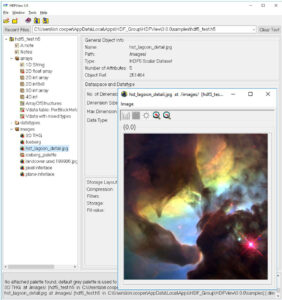
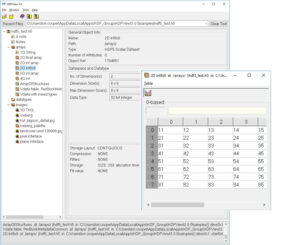
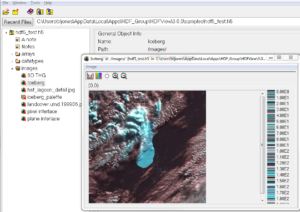
HDFView is a visual tool written in Java for browsing and editing HDF (HDF5 and HDF4) files. Using HDFView, you can:
- View a file hierarchy in a tree structure
- Create new files, add or delete groups and datasets
- View and modify the content of a dataset
- Add, delete and modify attributes
HDFView uses the Java HDF Object Package, which implements HDF4 and HDF5 data objects in an object-oriented form.
User’s Guides and Documentation
Pre-built Binary Distributions
Note: This release provides two ways to install the HDFView pre-built binary distribution for a platform:
- Running an installer. The installer uses a system specific program to install the HDFView application on the target system.
- Using an application image. This method simply requires running the provided executable to obtain the software. The application image is a folder/file image of the HDFView application. The user must setup any shortcuts or file associations.
Once you have uncompressed the downloaded pre-built binary file, refer to the provided README file for details.
Installers
If you do not see blue Download buttons in the table below, make sure you’ve completed our sign-in process.
sha256:3a796c84a8a61f641deaf1f8c1138c6f674f575094f97bf784c6874abb1ea2f4
sha256:fa35df1323729190c951a26872b3c41a0bde1502a7d4760cc109a573aa753dd6
sha256:389737f26f0c6e5bc7277d3dec7f362c73937ee90a2cca9a138cc88cd0437e61
sha256:0948320b5ea9725dab2e6bcfd77802e2a25c6161e2973f2fcb74aad65284beb7
sha256:13271be74ecdef17aec52f730e97be9c604ebaa2b1ee18460e03aa37bb68db05
Application Images
If you do not see blue Download buttons in the table below, make sure you’ve completed our sign-in process.
sha256:a1669bb6cbd32f65cfd3f0c1839a094cd29bcec1ad3697cfb95d704dfaefd603
sha256:776a87f2f6106d8b10183c8976aec303da88518de0412fa0440d433d95596c03
sha256:694378eb14bdf4ad02b985a8ad40ae7d439d41bc8ae56924785a20f96340e5a1
sha256:393c65057c61c47f42ca7064fe4f2d4f119fec5d955084ab51518584700e9853
Source Code
For further details see How to Build HDFView from Source.
Looking for a specific release?
Visit the Support Site for previous releases.